
Like many of us bloggers, I fucking hate the new editor. I hated the one that they tried to force us all to use before the new one as well. You know, the one they just fucking binned in order to make us all transition to the new-new editor. Anyway, here’s a quick, expletive-laden guide on how to get access to the classic editor, only involving way more hoops and ladders than it should be.
Disclaimers up front: Be prepared for a bit of harsh language. I’m not in a great mood right now, and WordPress isn’t making it any more pleasant. This is how I get to the classic editor using a PC and the web interface. I don’t use the app or my tablet or phone, so I don’t know how to do it with either, and don’t plan to figure any of those out or post tutes on those either. This information is posted as is, and I take or incur no responsibility if you can’t follow really simple instructions and break or delete your site. Honestly, if you manage to do something like that while trying to follow this guide, you probably deserve it…
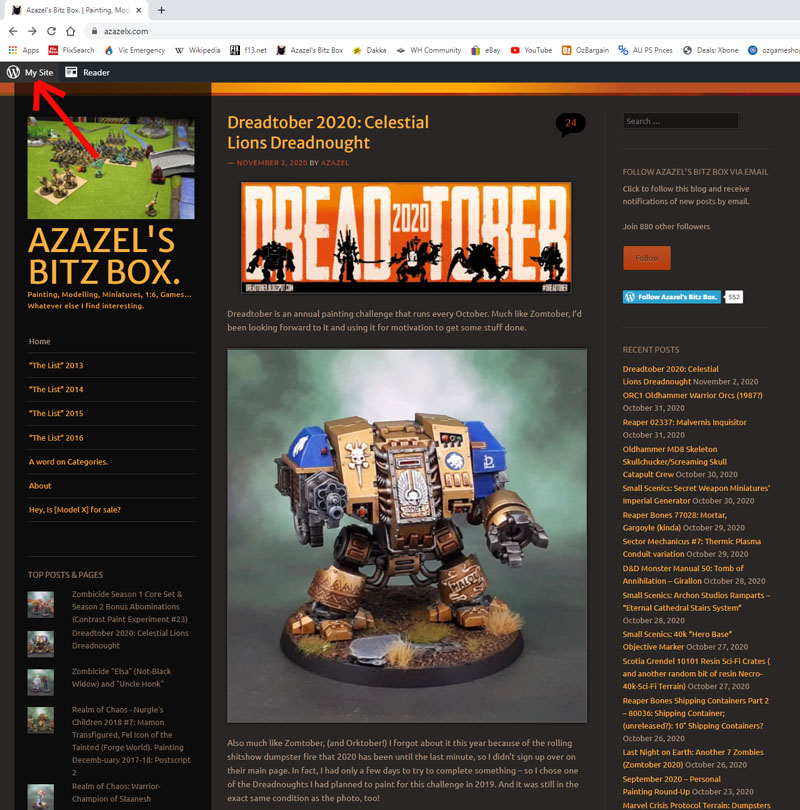
- Anyway – first thing is to go to your regular homepage, and click on the “My Site” link in the top left. (see above)
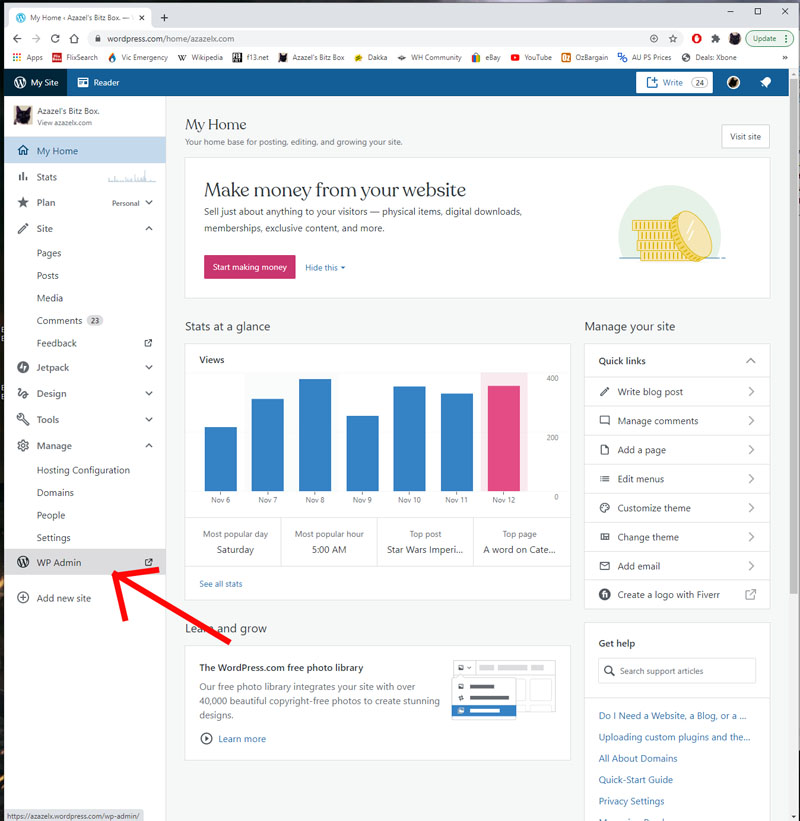
2. Now you’re at the “My Home” page. Click on WP Admin on the lower left of the sidebar. (see above)
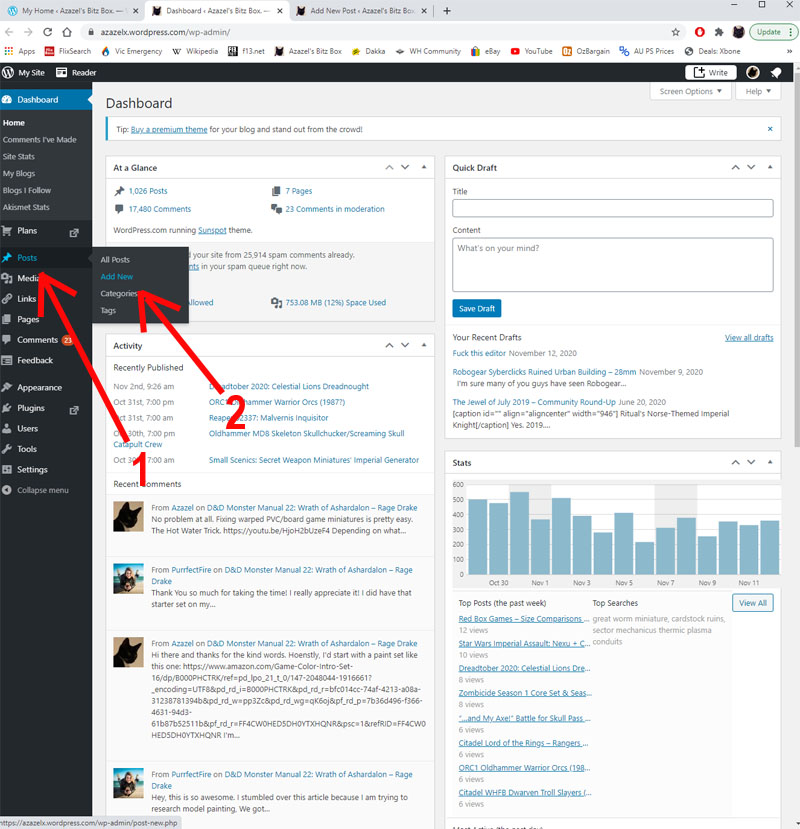
3. Now you should be at the Dashboard. Hover over “Posts” and then go to “Add New”. (see above)
n.b. If you want to copy an existing post and then edit it, go to “My Posts” instead, find the post you want, and then click “Copy Post”. You should end up at the next step, though with a cloned post rather than a blank one.
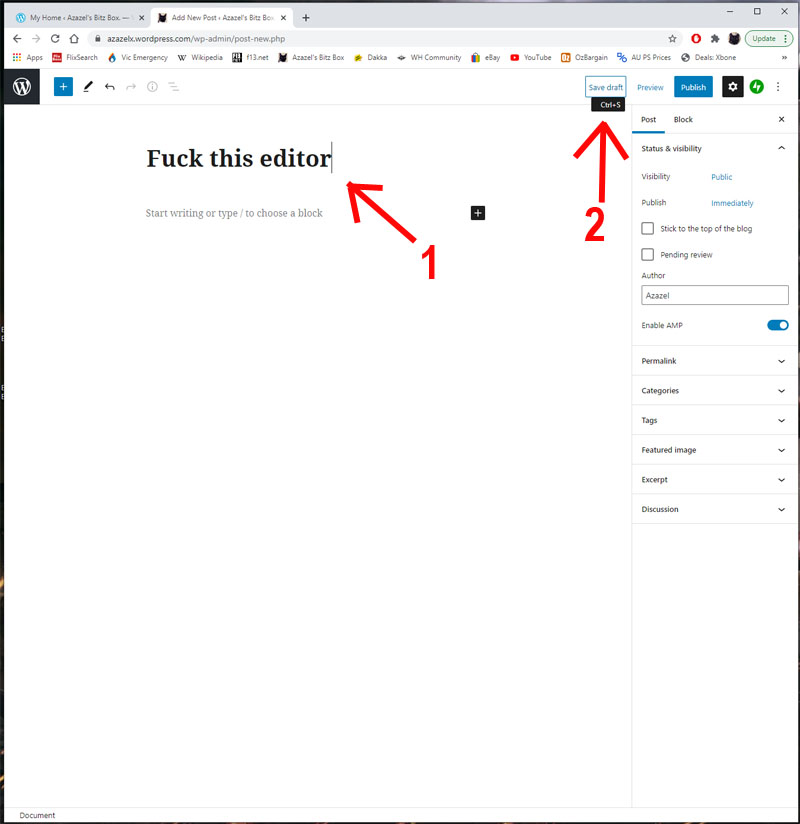
4. Simple one here. Name the post whatever you want to call it, as I did above, and then hit save. (see above)
Now close the tab and go back to the Dashboard (Step 2), click “WP Admin” again. Simple, right? /eyeroll.
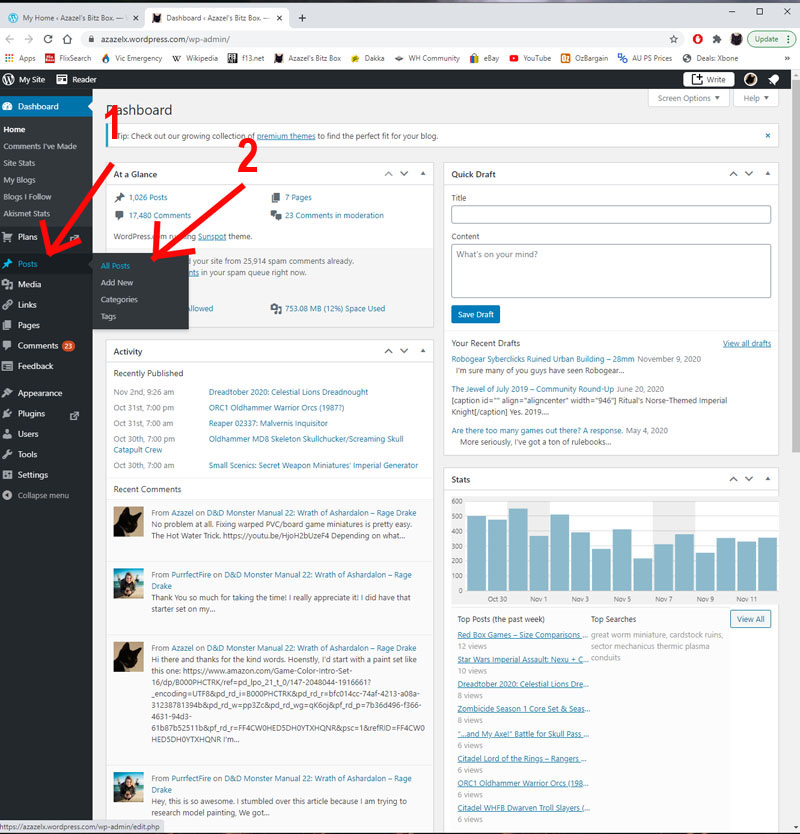
5. Back at the Dashboard again, now hover over “Posts” but this time click on “All Posts”.
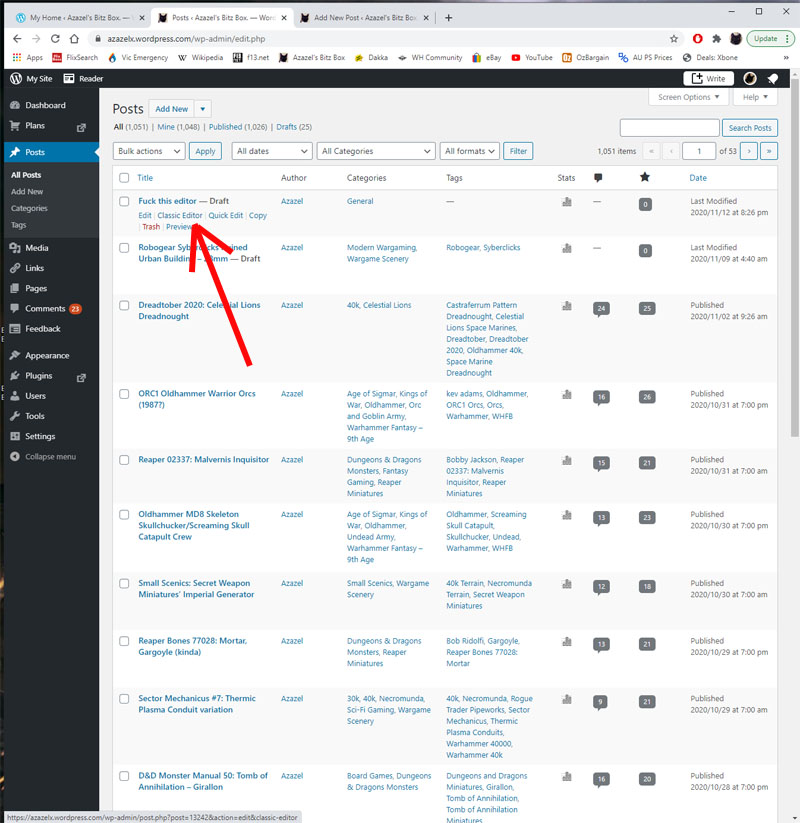
6) Now your saved-title-but-empty post should be just sitting there, waiting to be filled with content. Like a doughnut awaiting the gooey jam (or custard) filling. You can see “Classic Editor” is an option to click on. So do that. (see above).
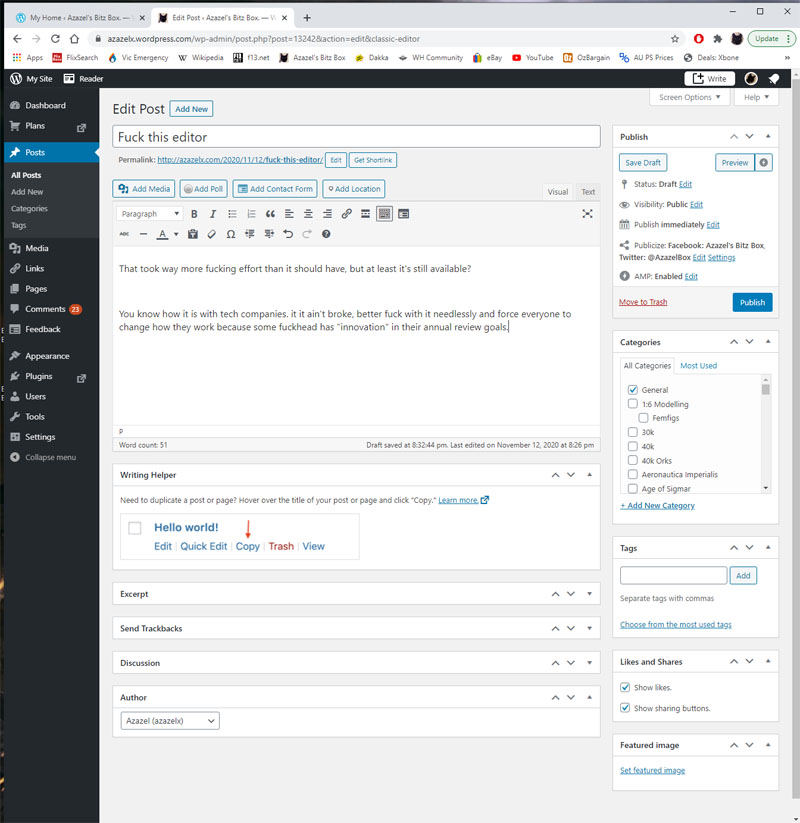
7) Now enjoy writing your fabulous thoughts and sharing your wonderful images with the world, just the way WordPress originally intended before they started fucking with everything constantly. That took way more fucking effort than it should have, but at least it’s still available?
You know how it is with tech companies. it it ain’t broke, better fuck with it needlessly and force everyone to change how they work because some fuckhead has “innovation” in their annual review goals.
Anyway, hopefully this is useful to a few people. Remember to share, like and subscribe and leave a comment below. Look up my patreon to support the cha…- sorry. Thought I was a YouTuber for a second there!

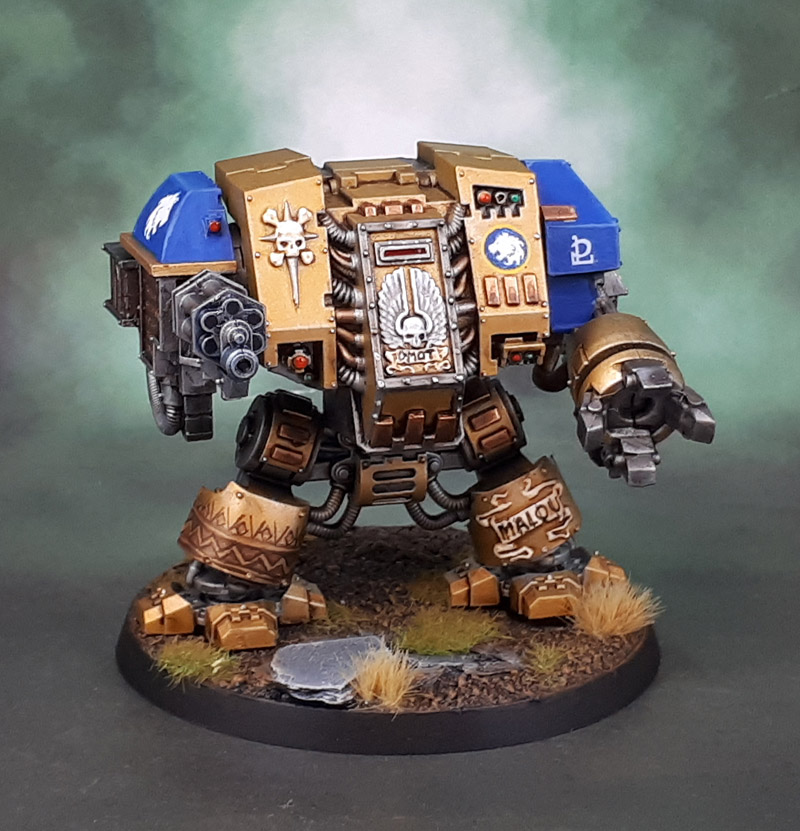


 Azazel's Bitz Box.